
Testing
Archipelago provides a complete testing setup out of the box — unit tests, widget tests, and integration tests with Patrol.
Test Structure
apps/template_app/
  test/
    flutter_test_config.dart          # Global unit/widget test config
    src/
      ...                             # Unit & widget tests
  integration_test/
    flutter_test_config.dart          # Global integration test config
    integration_test_driver.dart      # Driver for vanilla flutter test
    patrol_config.dart                # Patrol test configuration
    app_test.dart                     # Smoke test — verifies app launches
  patrol.toml                         # Patrol CLI configuration
Unit & Widget Tests
Every package has its own test/ directory. Run all tests across the workspace:
melos run testRun tests for a specific package:
melos run test:selectflutter_test_config.dart
The test/flutter_test_config.dart file is automatically loaded before any test runs. Use it for global setup:
Future<void> testExecutable(FutureOr<void> Function() testMain) async {
  TestWidgetsFlutterBinding.ensureInitialized();
  // Add global setup here (font loading, default screen size, etc.)
  await testMain();
}
Integration Tests with Patrol
Patrol provides native-aware integration testing for Flutter. It can interact with system dialogs, permissions, and native UI elements.
Install Patrol CLI
dart pub global activate patrol_cliRun Integration Tests
# Run with melos
melos run integration-test

# Run all integration tests
melos run integration-test:all

# Run directly with Patrol
cd apps/template_app
patrol test --flavor development --target integration_test/app_test.dart
Writing Tests
import 'package:patrol/patrol.dart';

import 'patrol_config.dart';

void main() {
  patrolTest(
    'app launches successfully',
    config: patrolTestConfig,
    ($) async {
      // Verify the app renders
      expect($('Archipelago'), findsOneWidget);

      // Interact with native elements
      await $.native.grantPermissionWhenInUse();
    },
  );
}
Configuration
patrol.toml — Patrol CLI settings:
[android]
packageName = "com.example.template_app"

[ios]
bundleId = "com.example.templateApp"

[patrol]
testDir = "integration_test"
patrol_config.dart — Shared test config:
const patrolTestConfig = PatrolTestConfig(
  findTimeout: Duration(seconds: 10),
);
Running Without Patrol
For CI environments without Patrol, use the standard Flutter integration test driver:
flutter test integration_test/app_test.dartGolden Tests (Visual Regression)
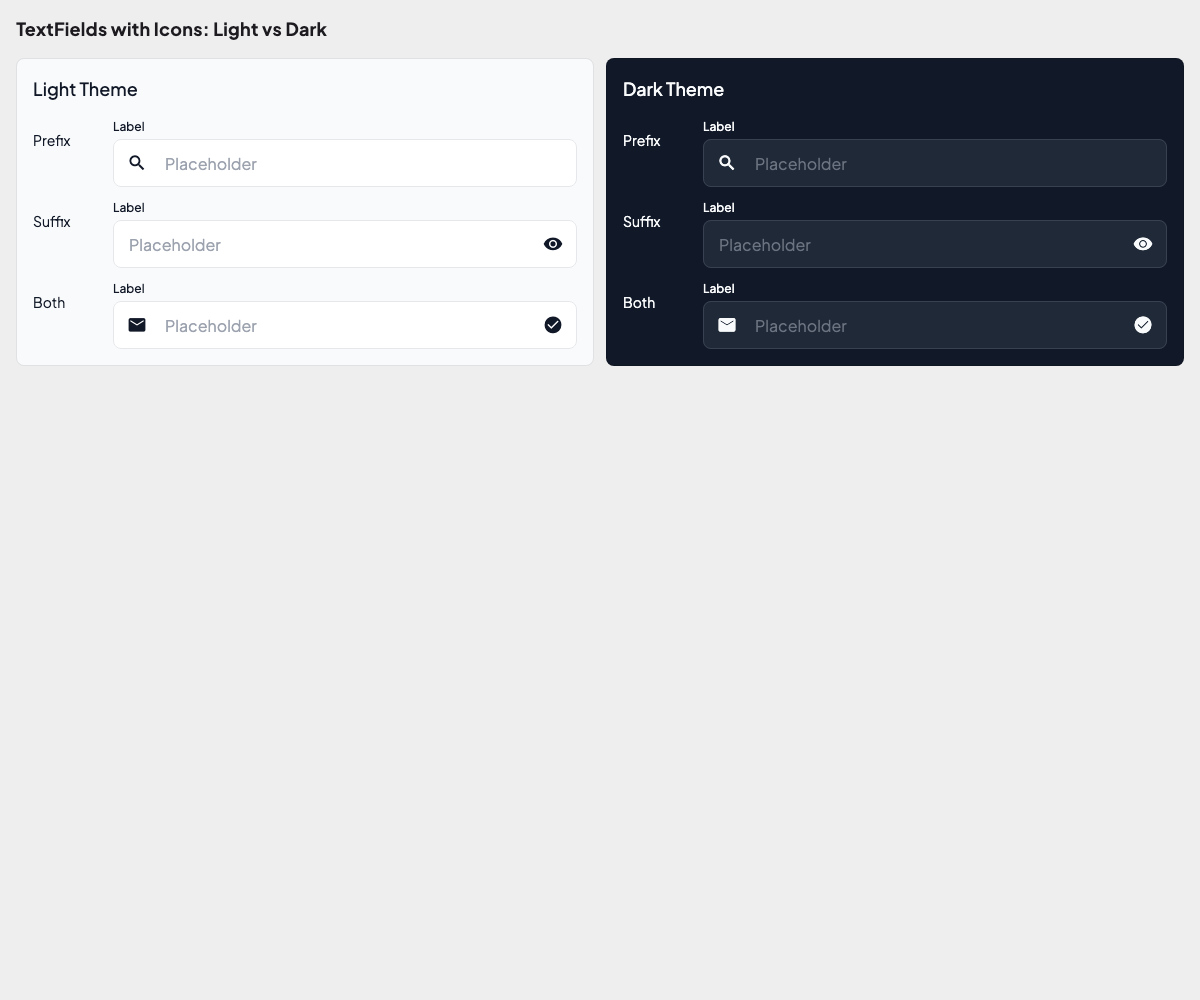
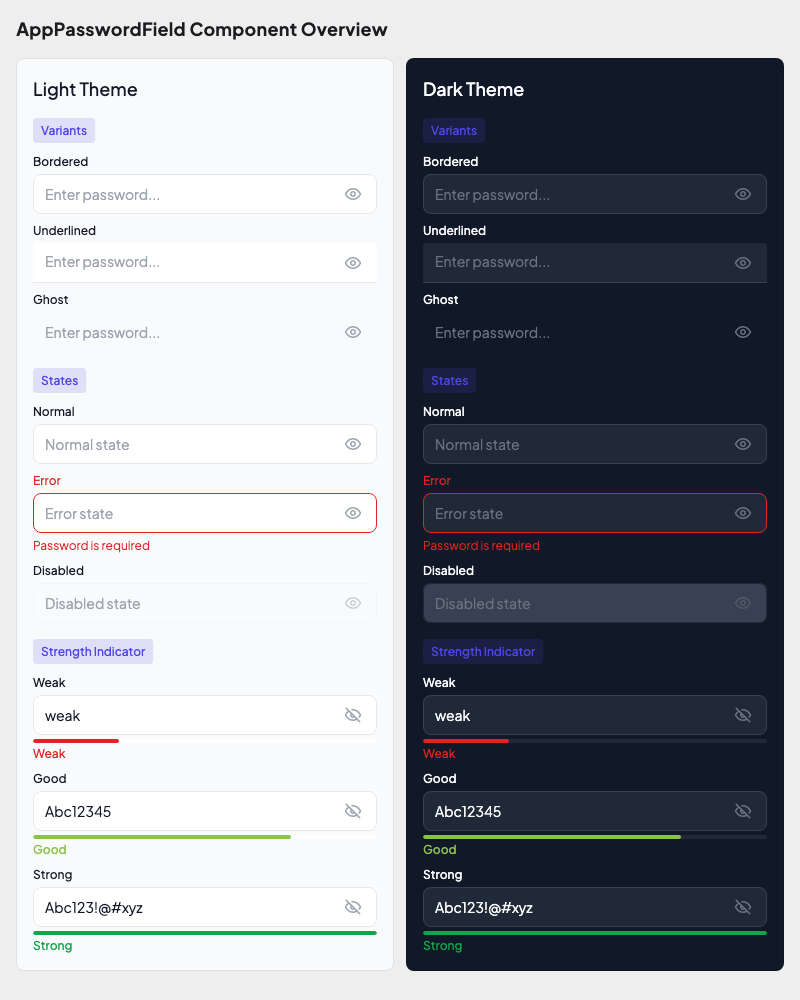
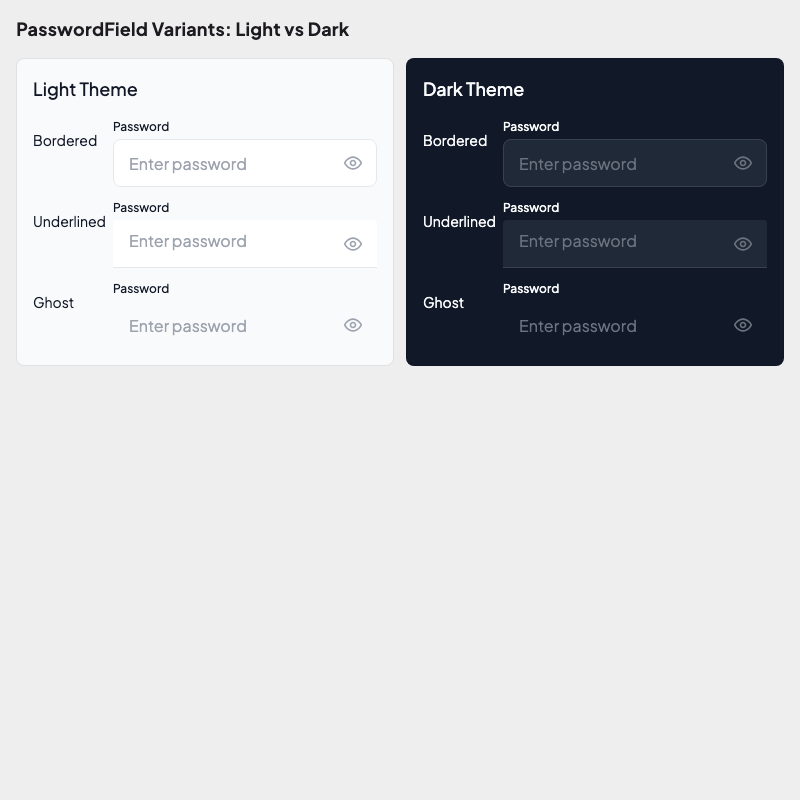
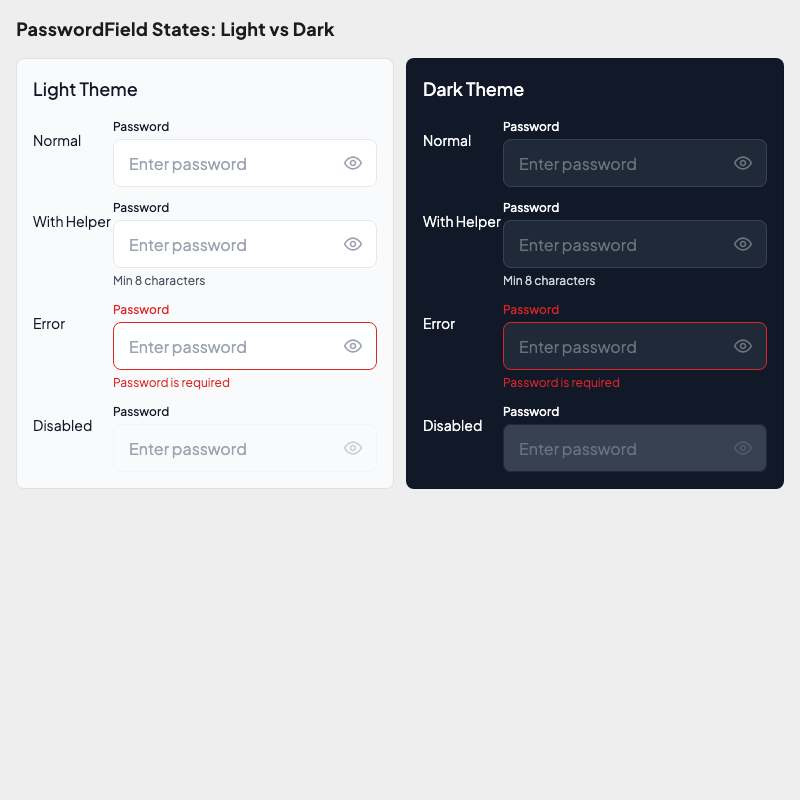
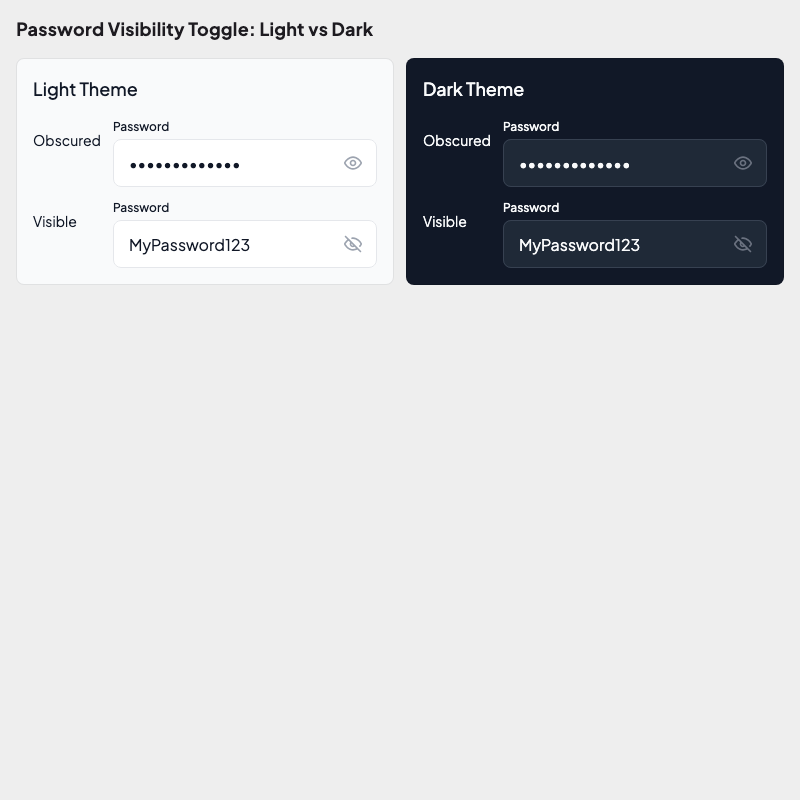
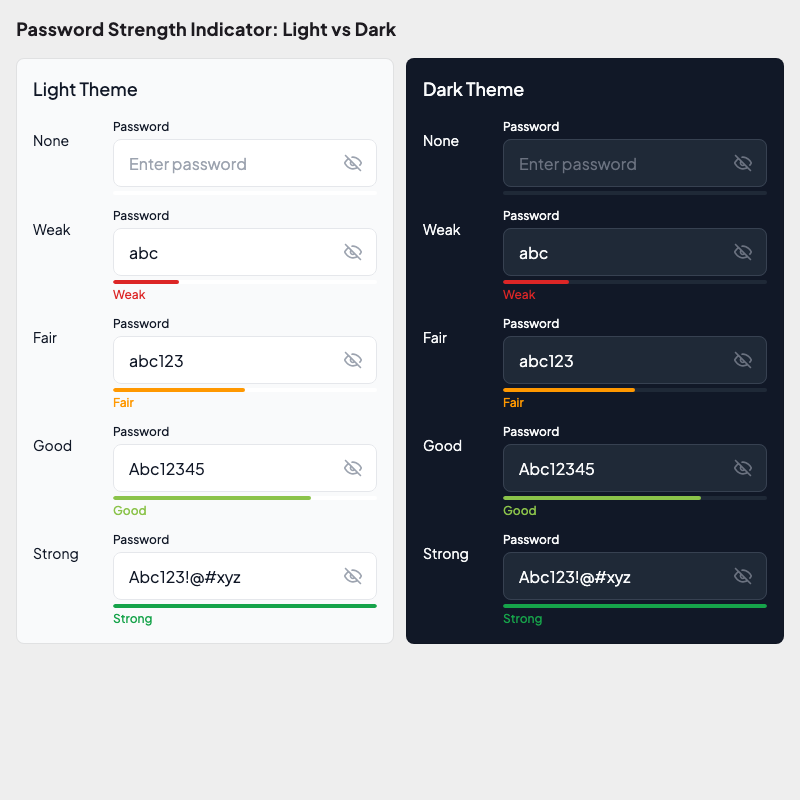
Golden tests validate your design system tokens visually. Archipelago uses Alchemist for golden testing — it renders widgets into images and compares them against baseline snapshots.
What's Tested
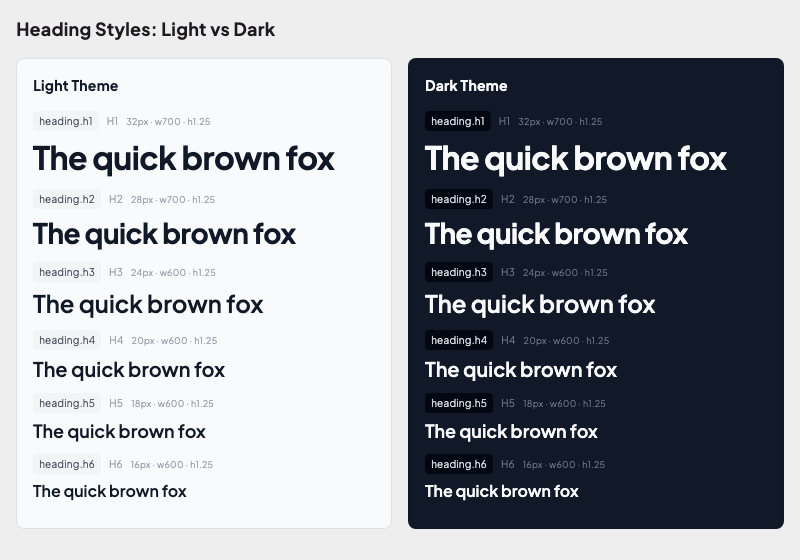
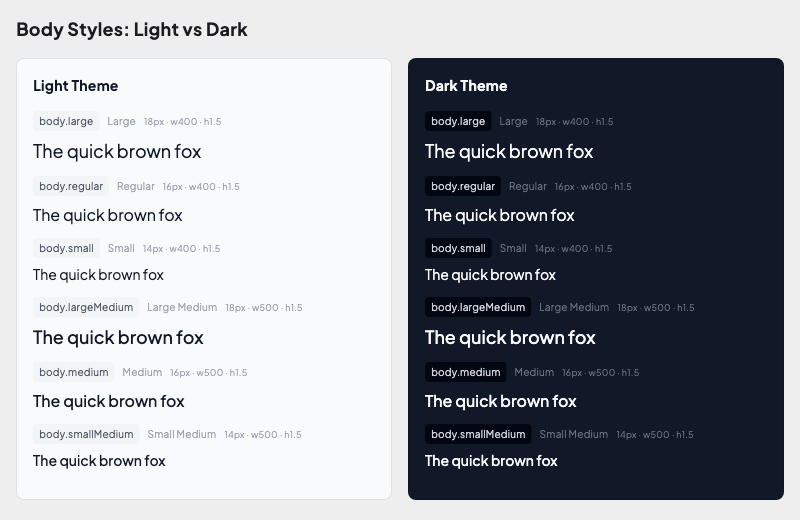
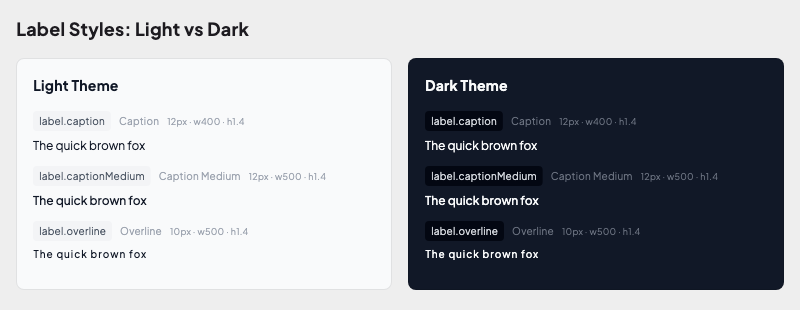
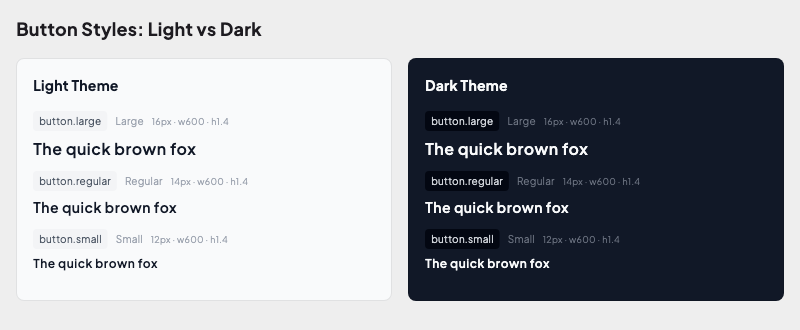
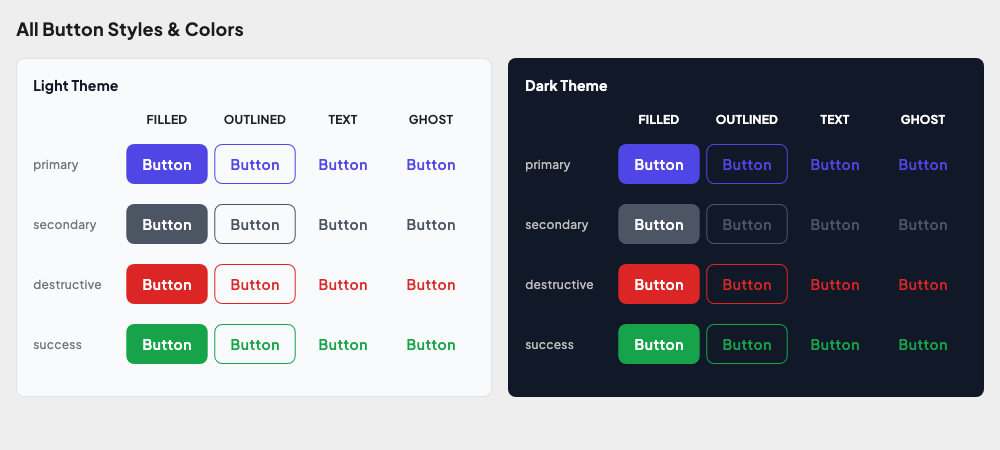
The UI kit includes golden tests for all design tokens:
| Foundation | What it validates |
|---|---|
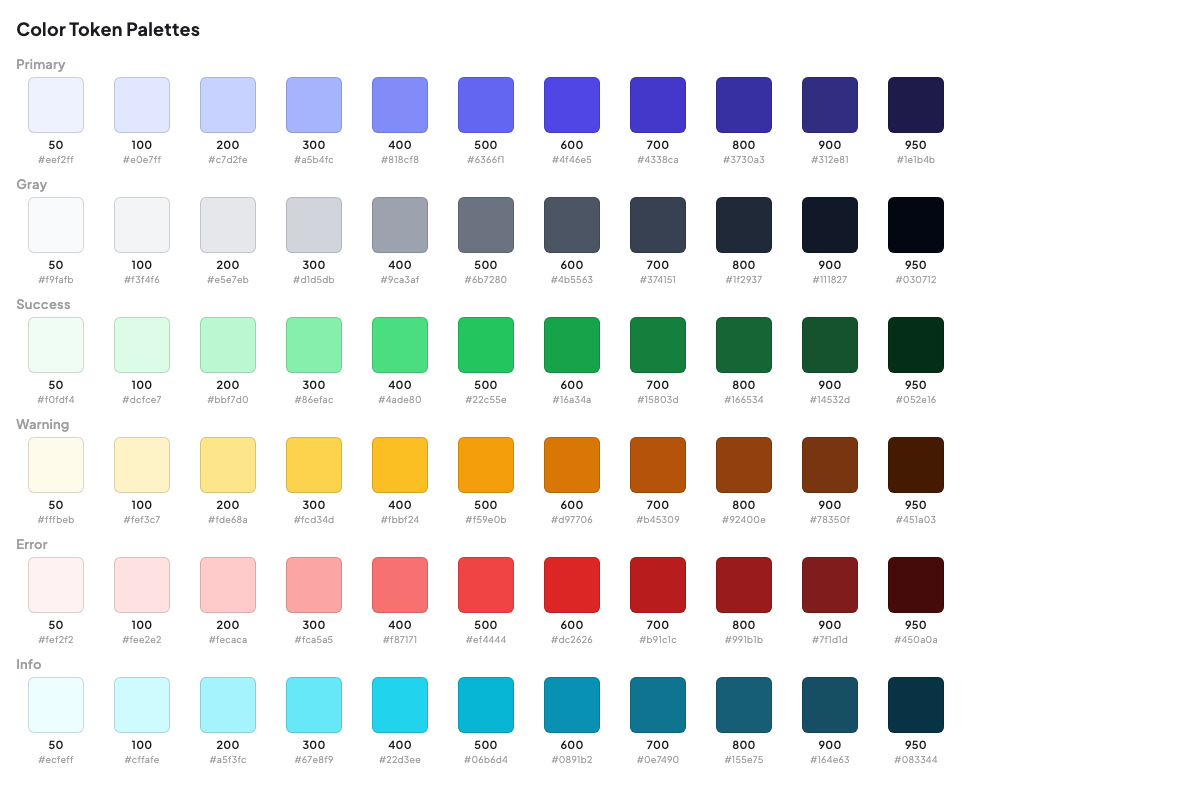
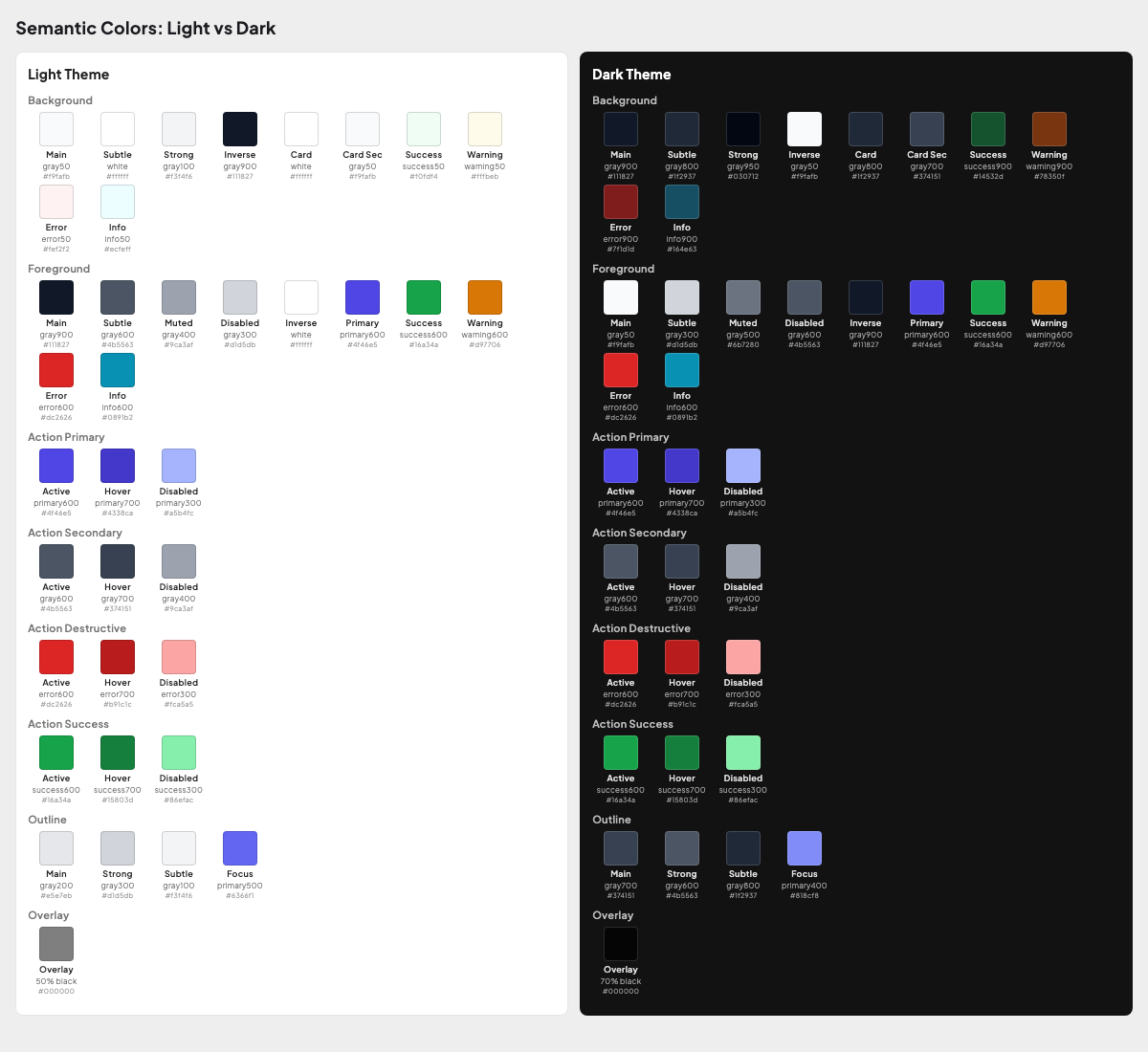
| Colors | Background, foreground, action, outline colors in light & dark themes |
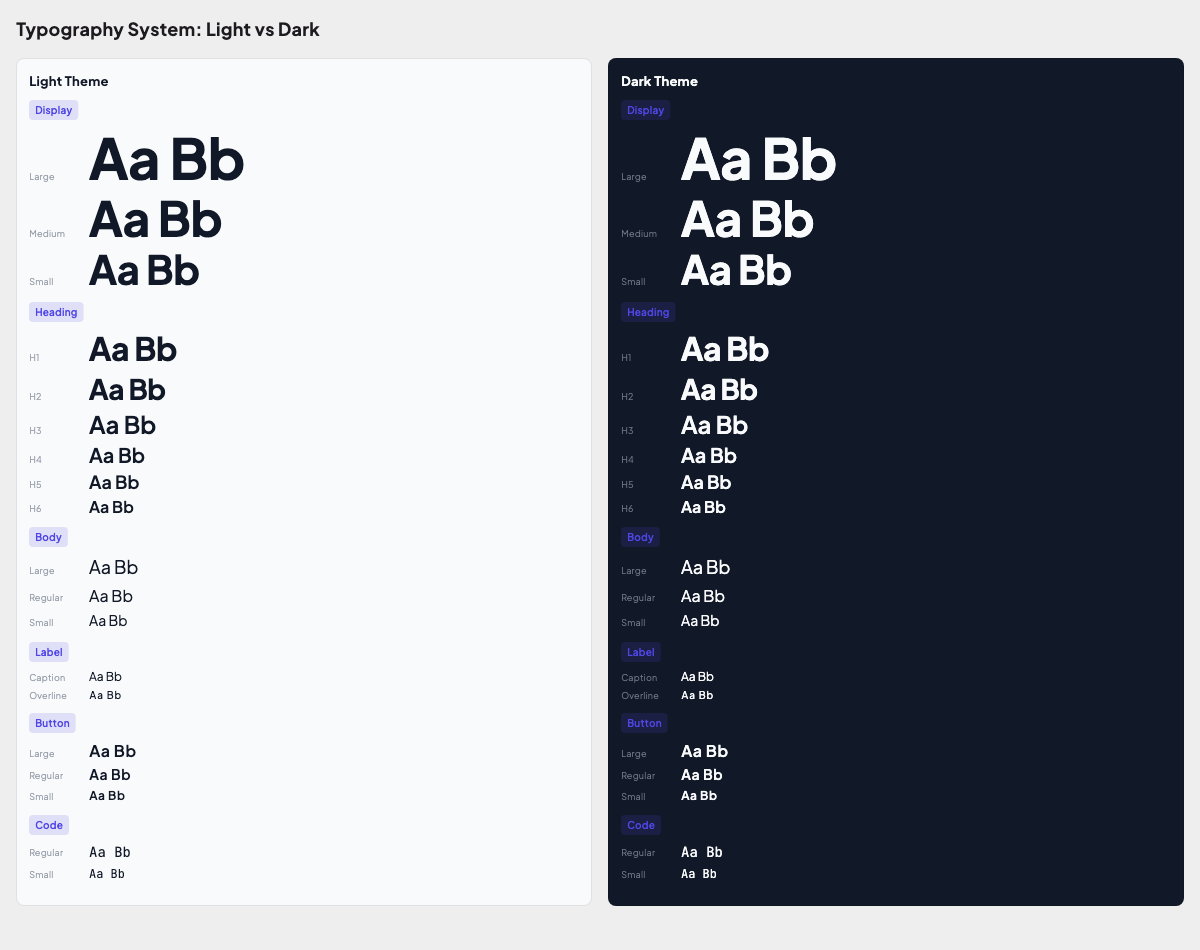
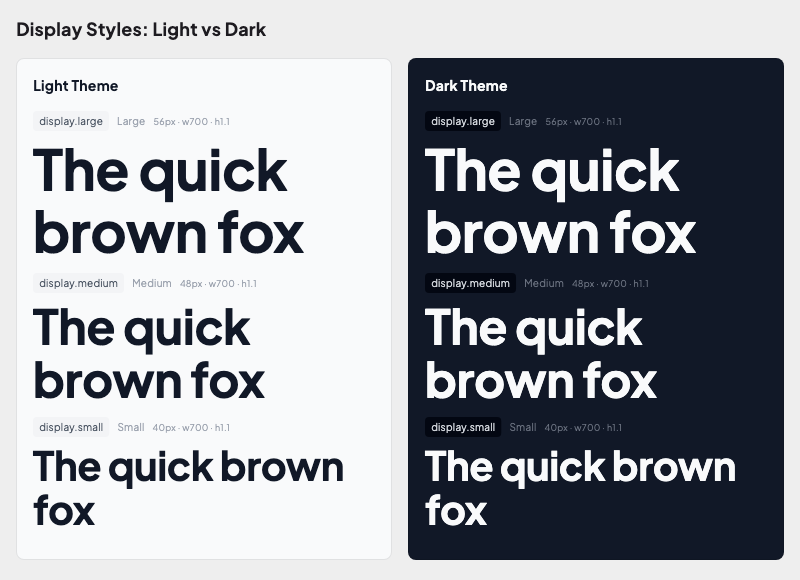
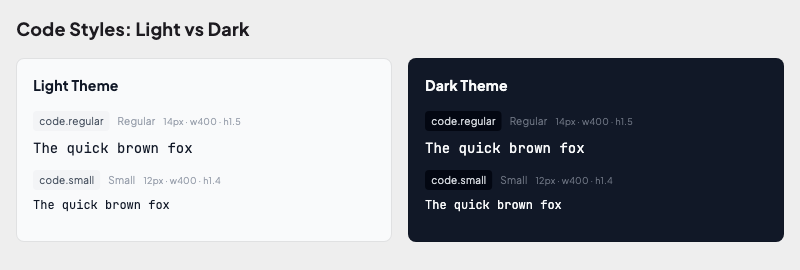
| Typography | Display, heading, body, label, code styles in both themes |
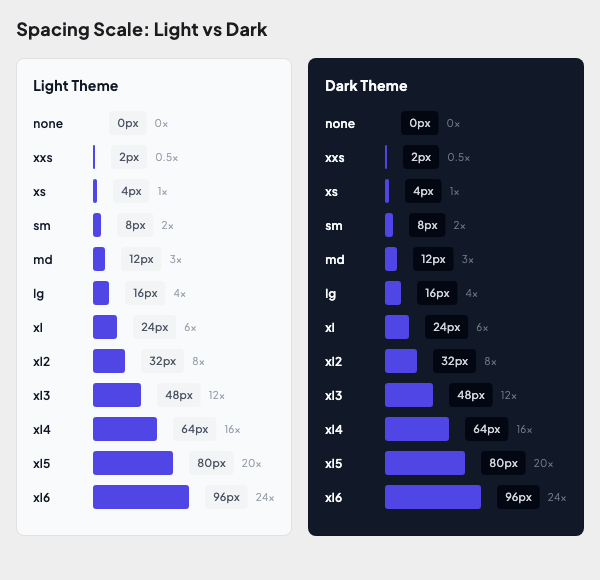
| Spacing | 12-step spacing scale (none → xl6) as sized bars |
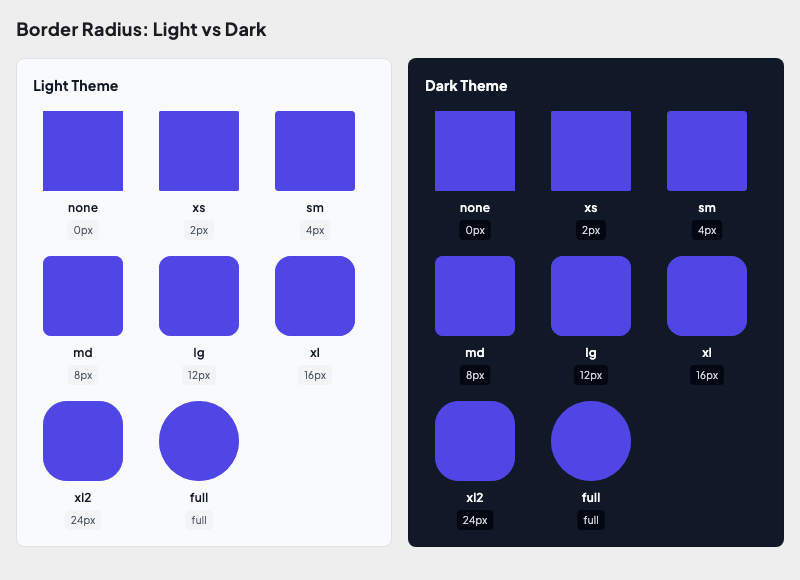
| Radius | All 8 radius tokens applied to containers |
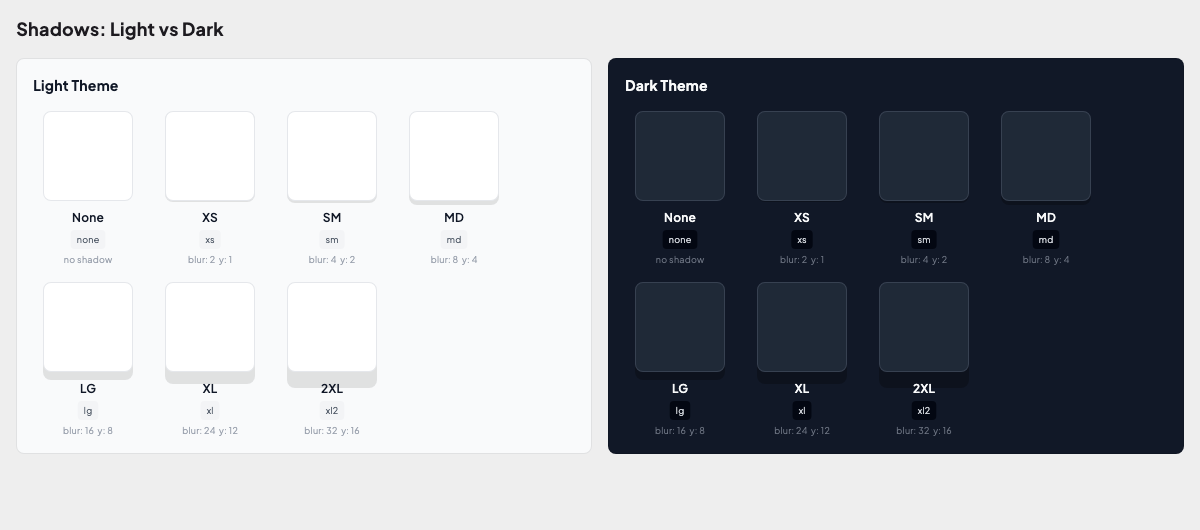
| Shadows | Shadow tokens comparison |
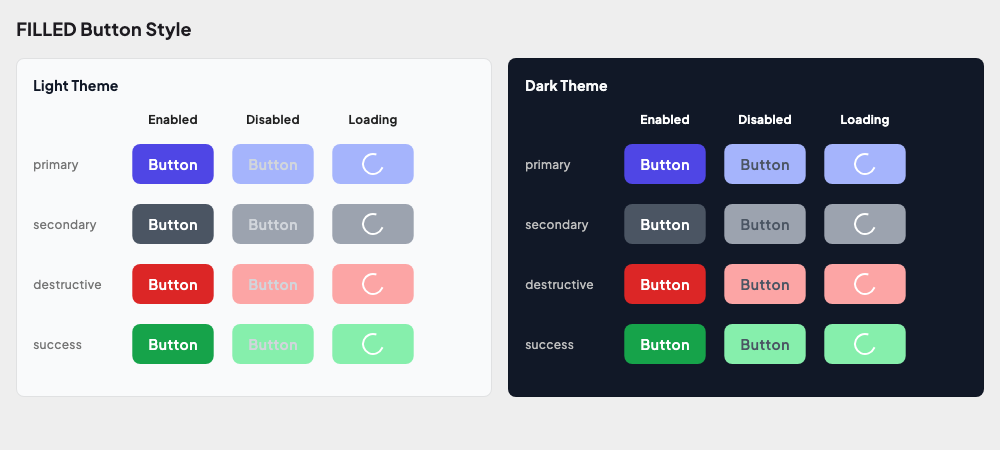
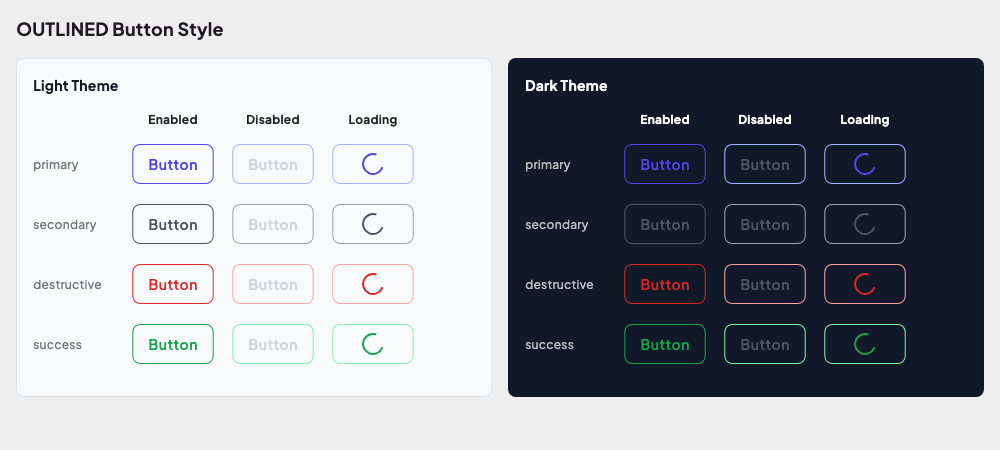
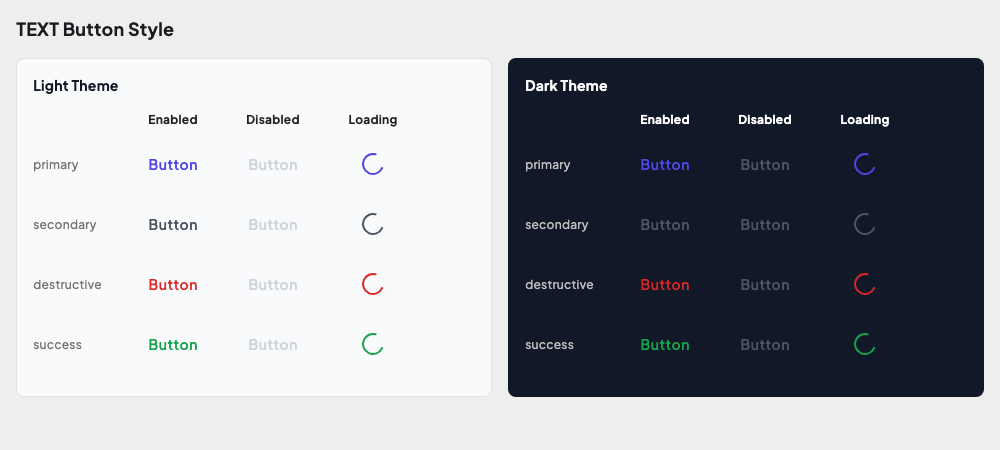
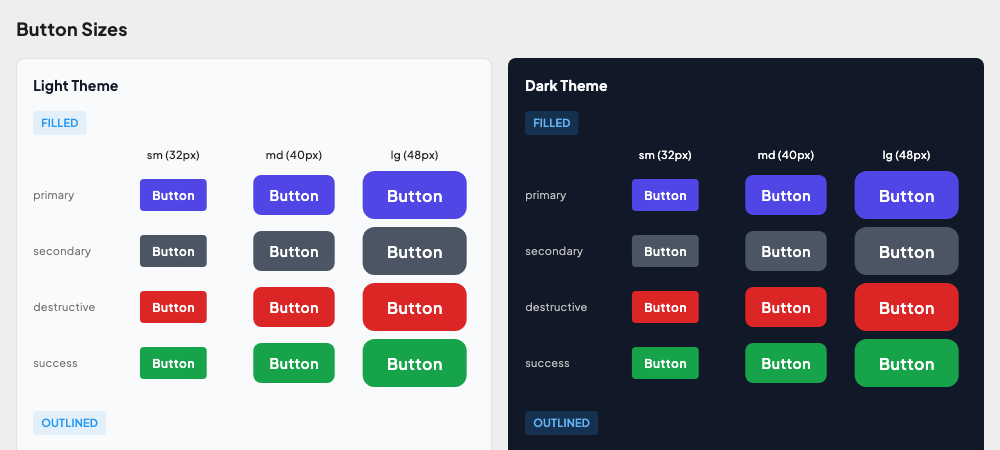
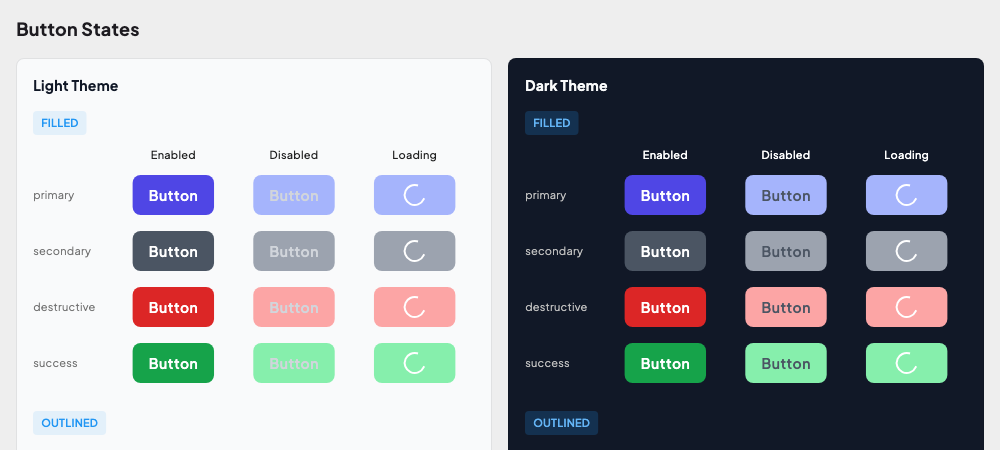
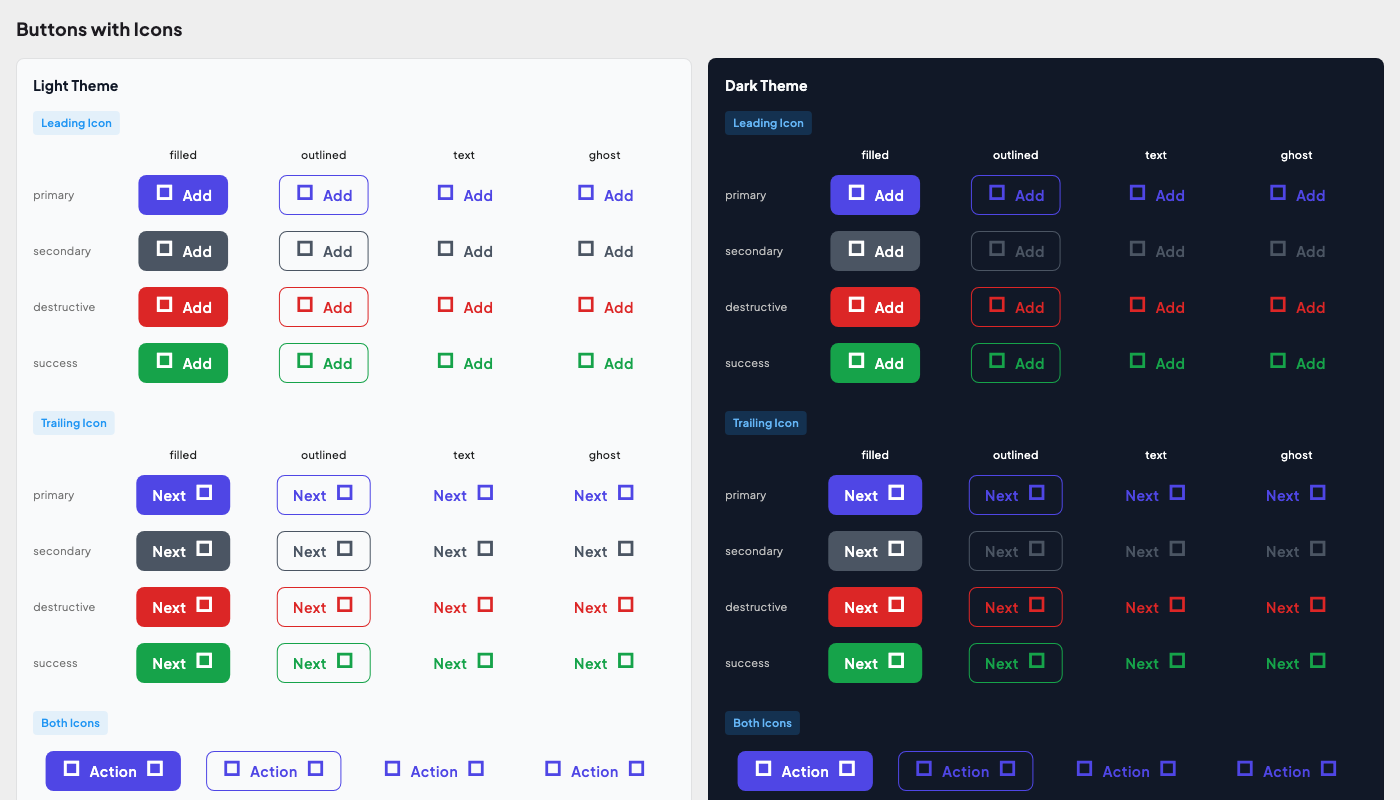
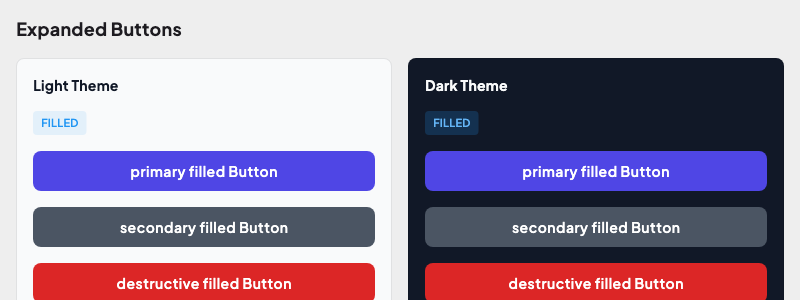
| Buttons | All styles, sizes, states, icons across themes |
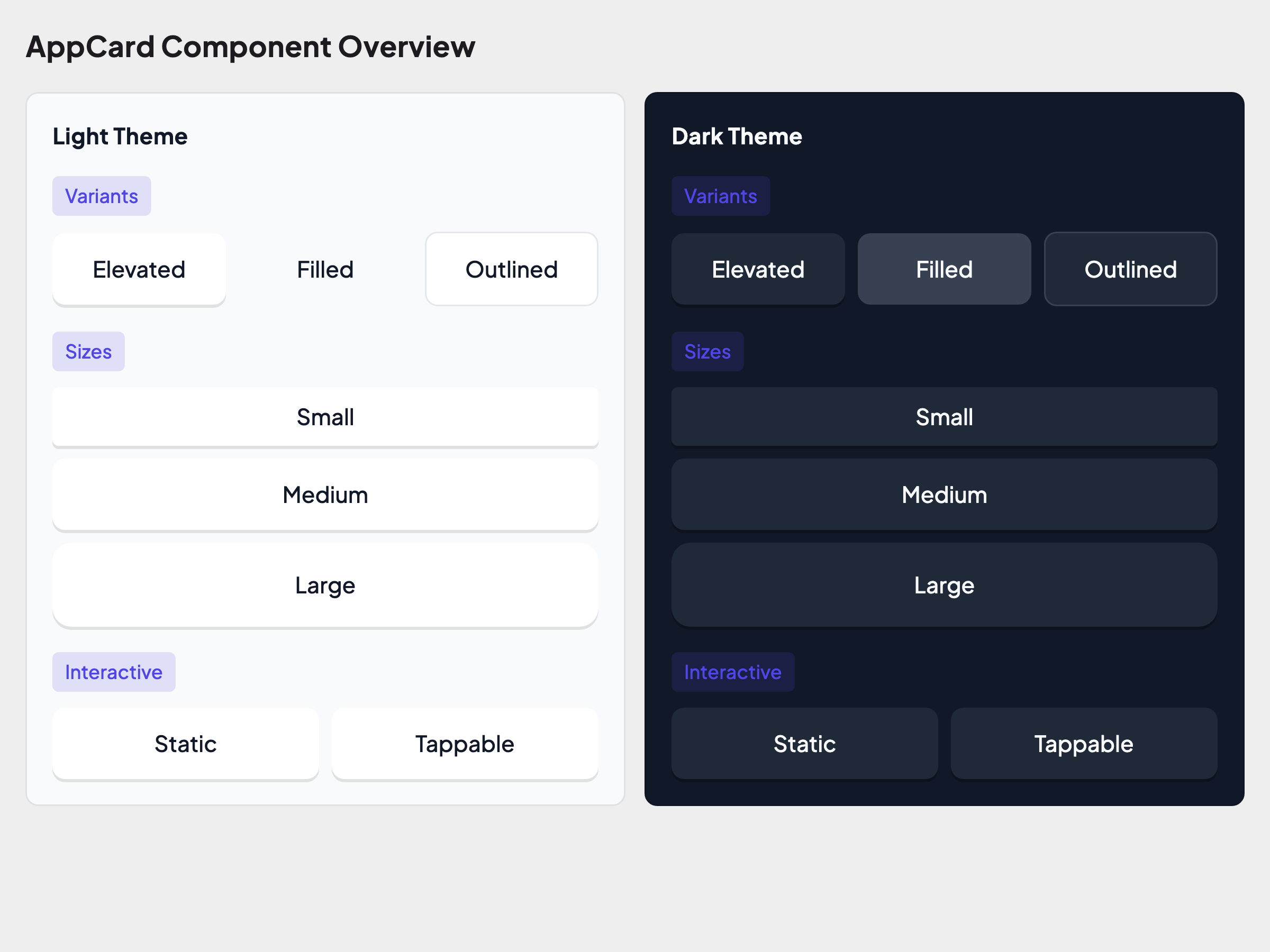
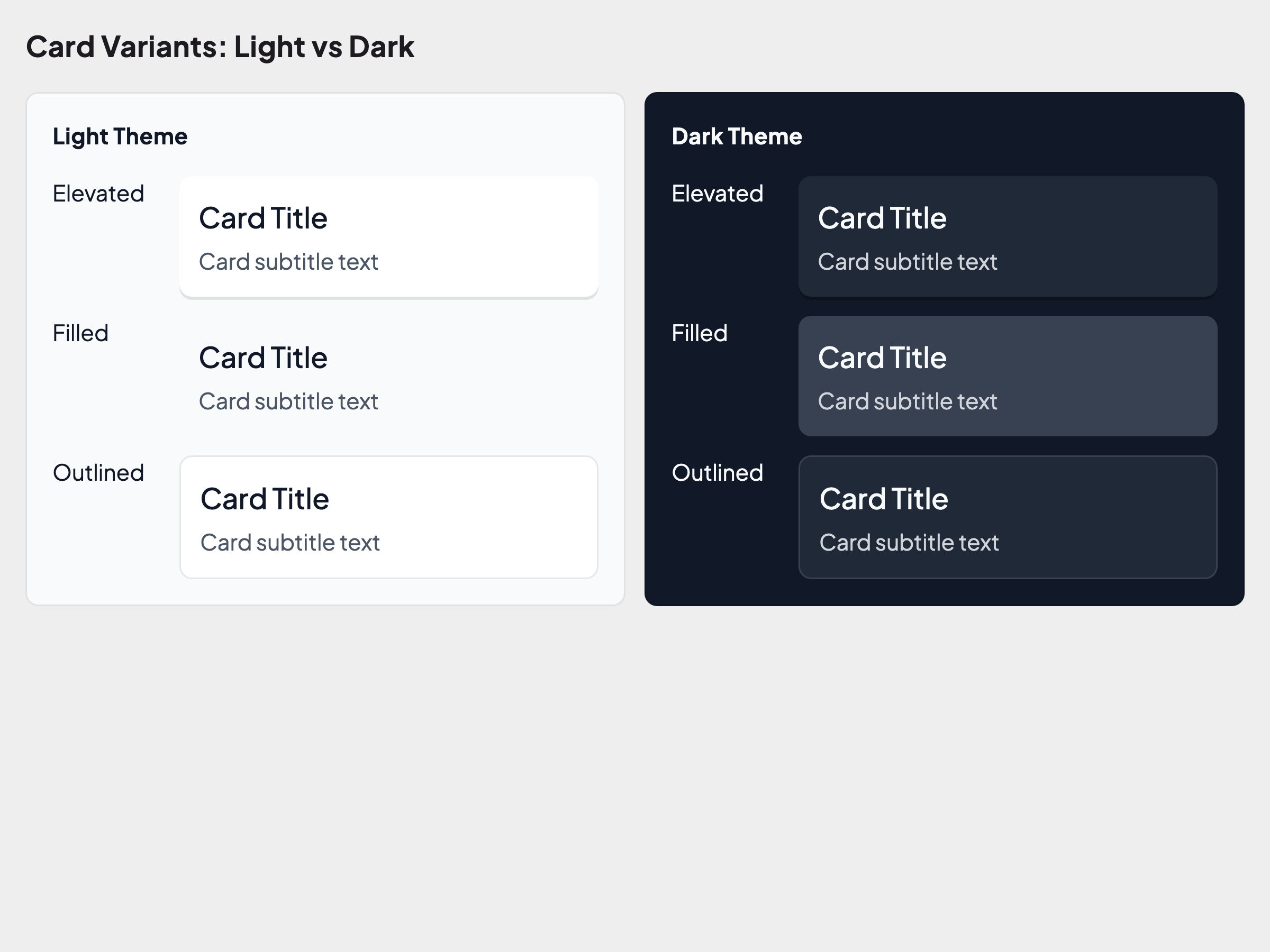
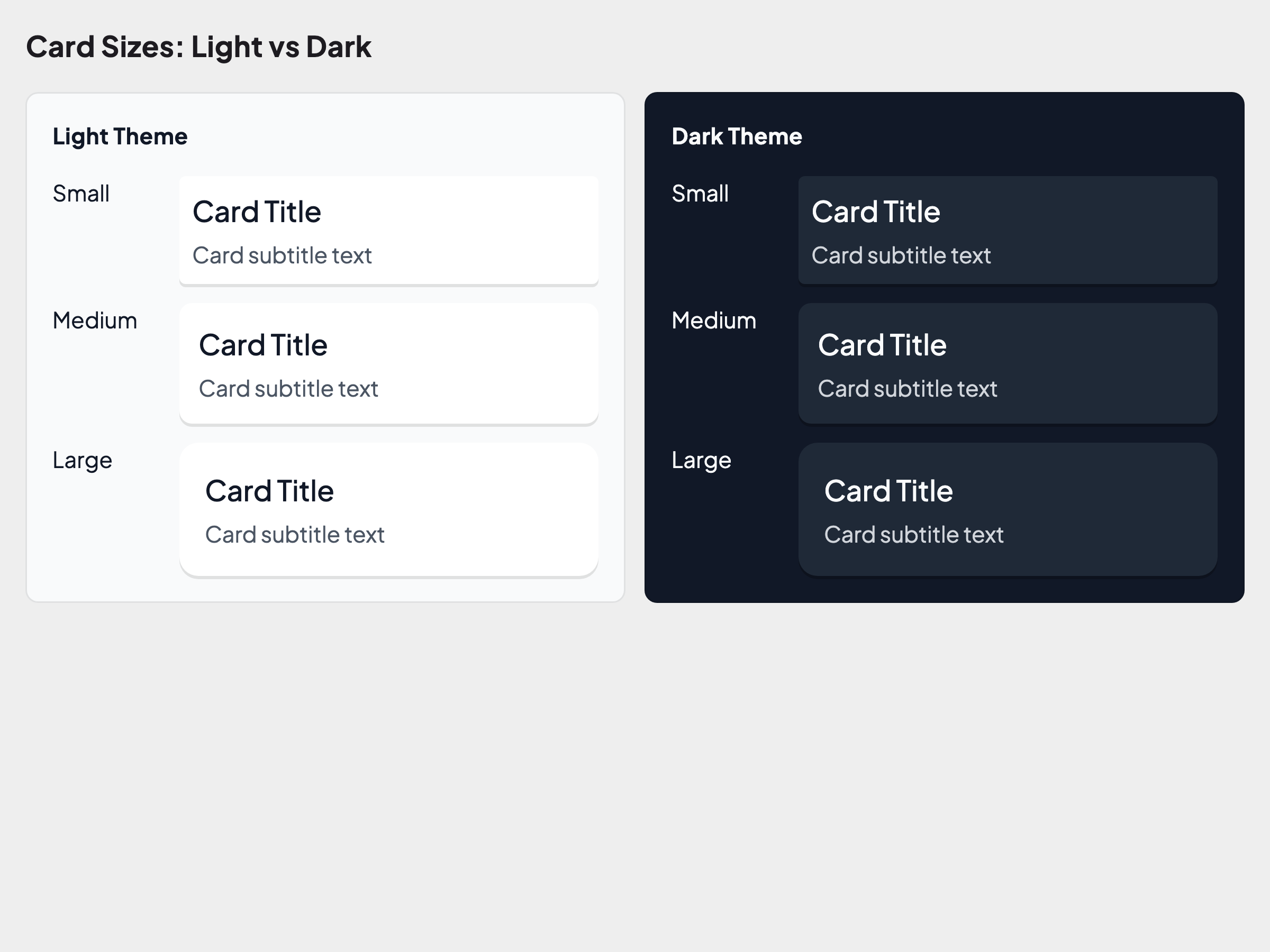
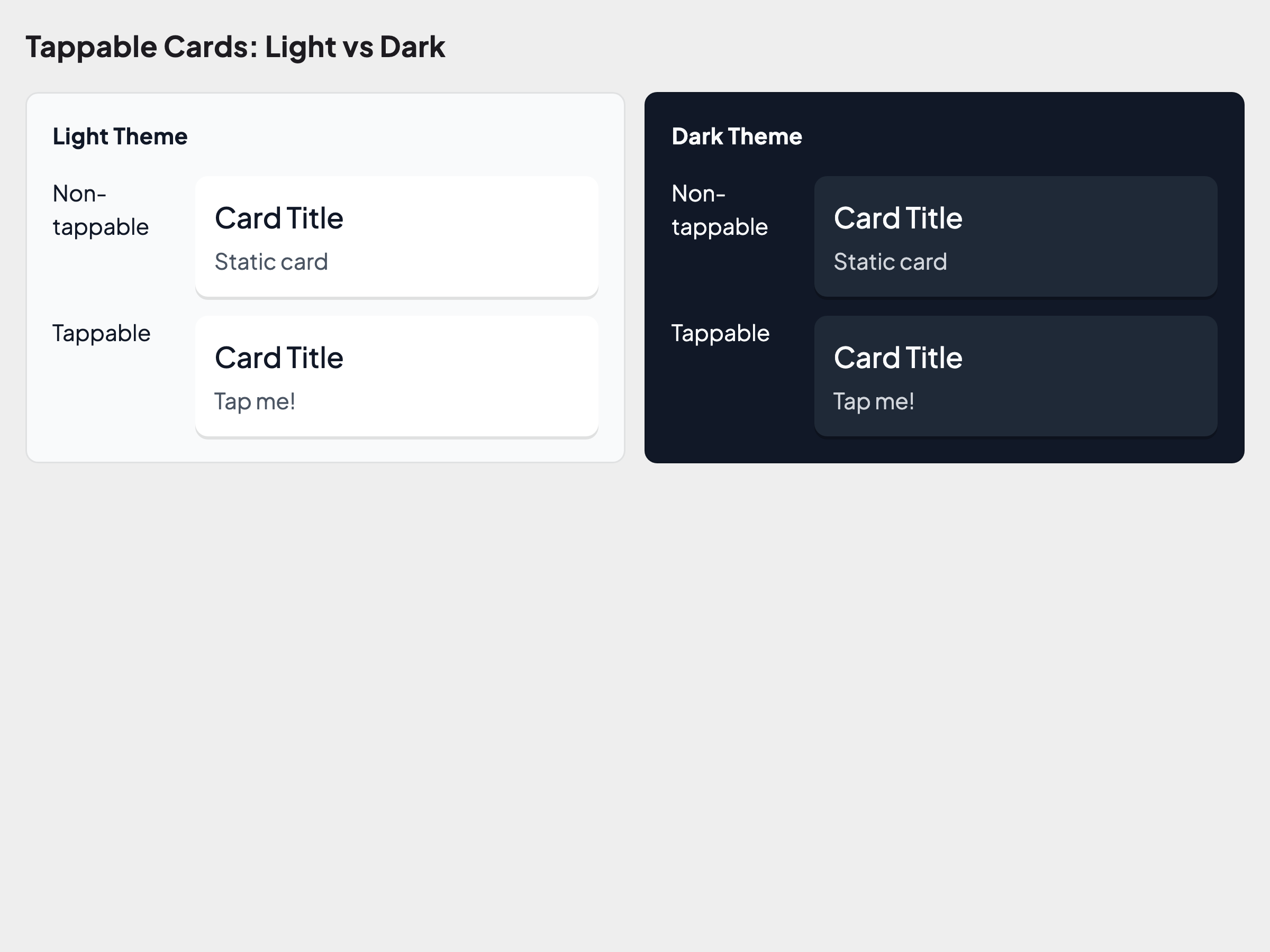
| Cards | Variants, sizes, interactive states |
| Text Fields | States, sizes, icons, variants |
Sample Golden Output
Foundations
Color Tokens:
Semantic Colors (Light vs Dark):
Typography:
Individual Typography Categories
Display
Heading
Body
Label
Button
Code
Spacing Scale:
Radius Scale:
Shadows:
Components
Button Styles:
More Button Goldens
Filled Style
Outlined Style
Text Style
Sizes
States
With Icons
Expanded
Card Overview:
More Card Goldens
Variants
Sizes
Interactive
Text Fields:
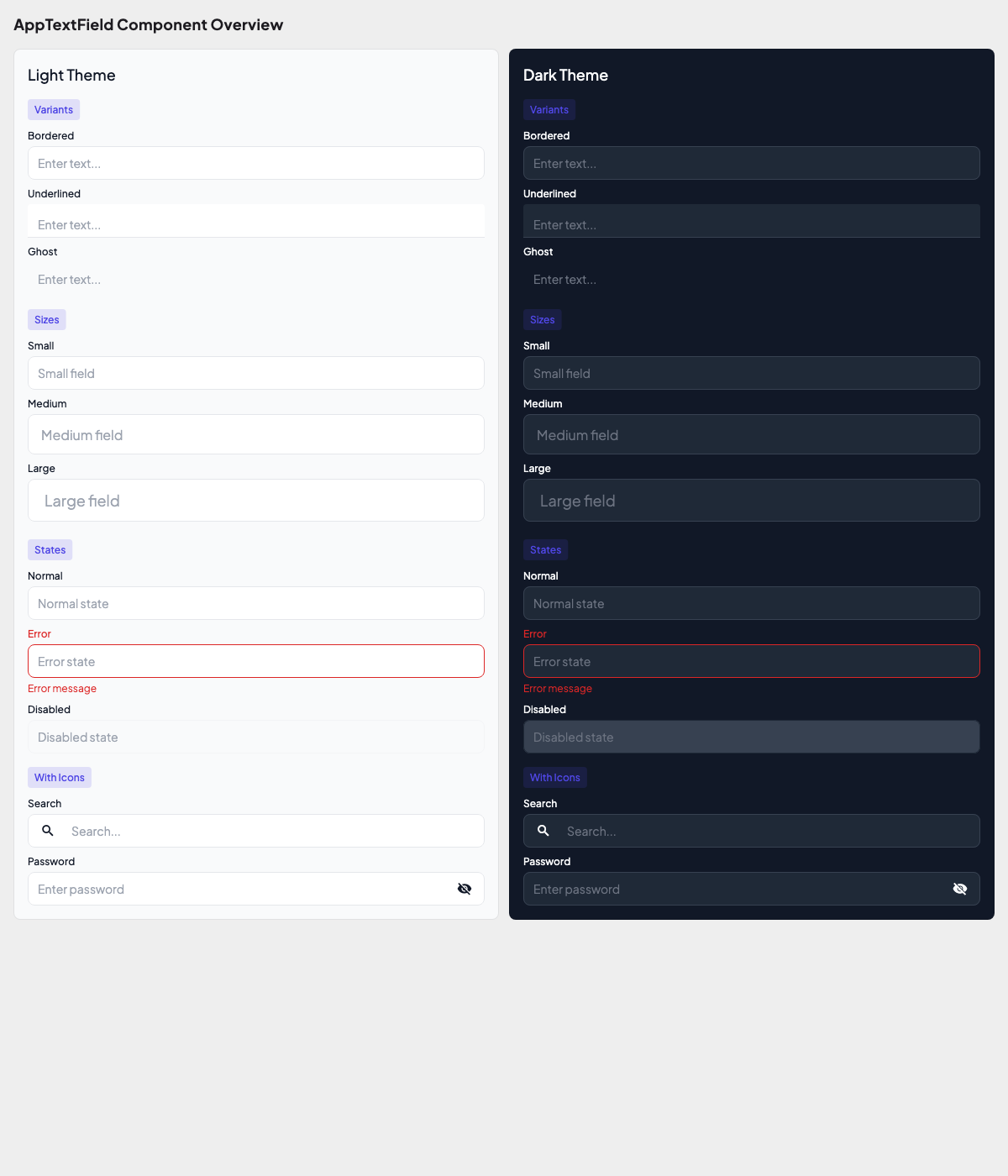
More TextField Goldens
Variants
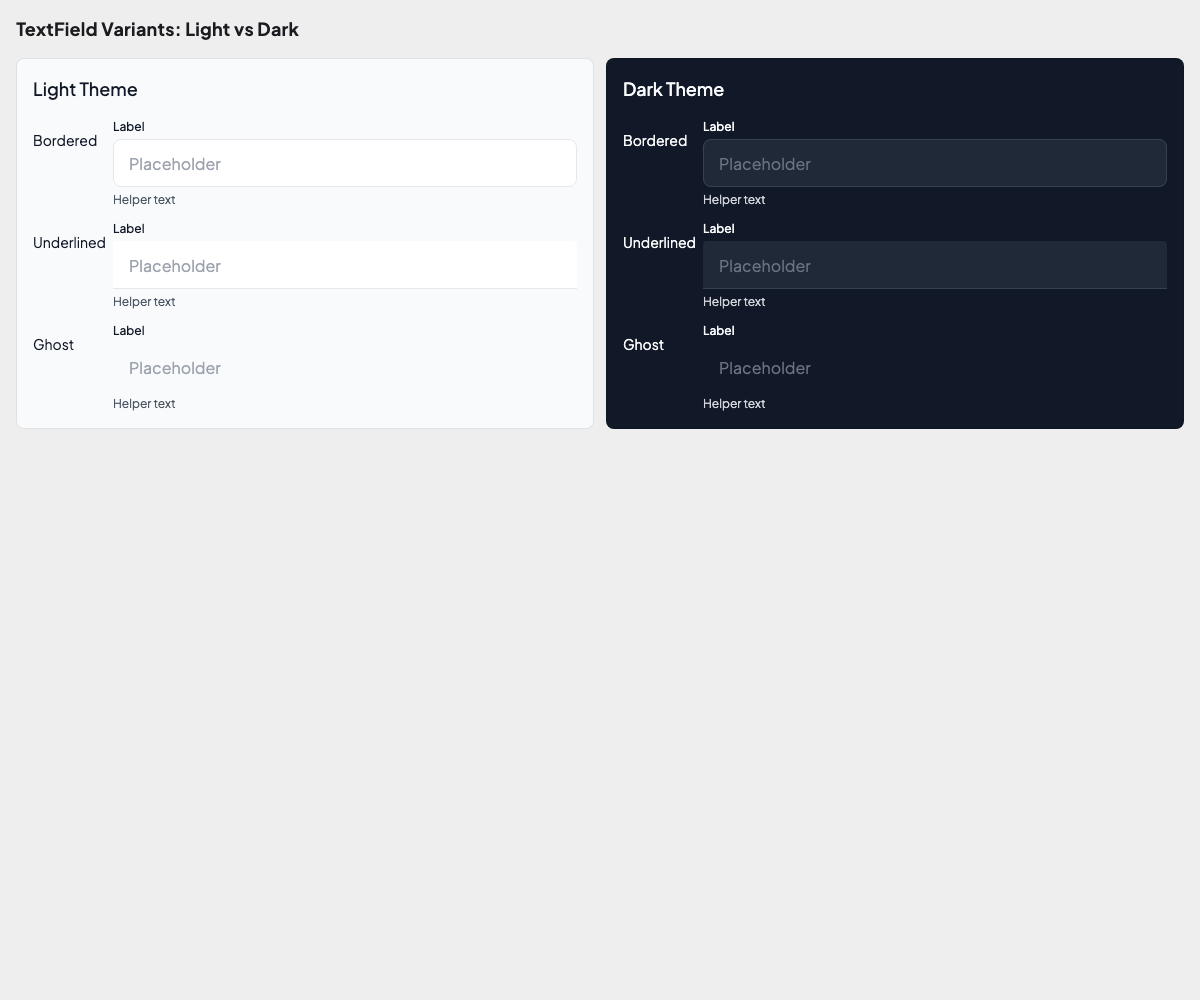
Sizes
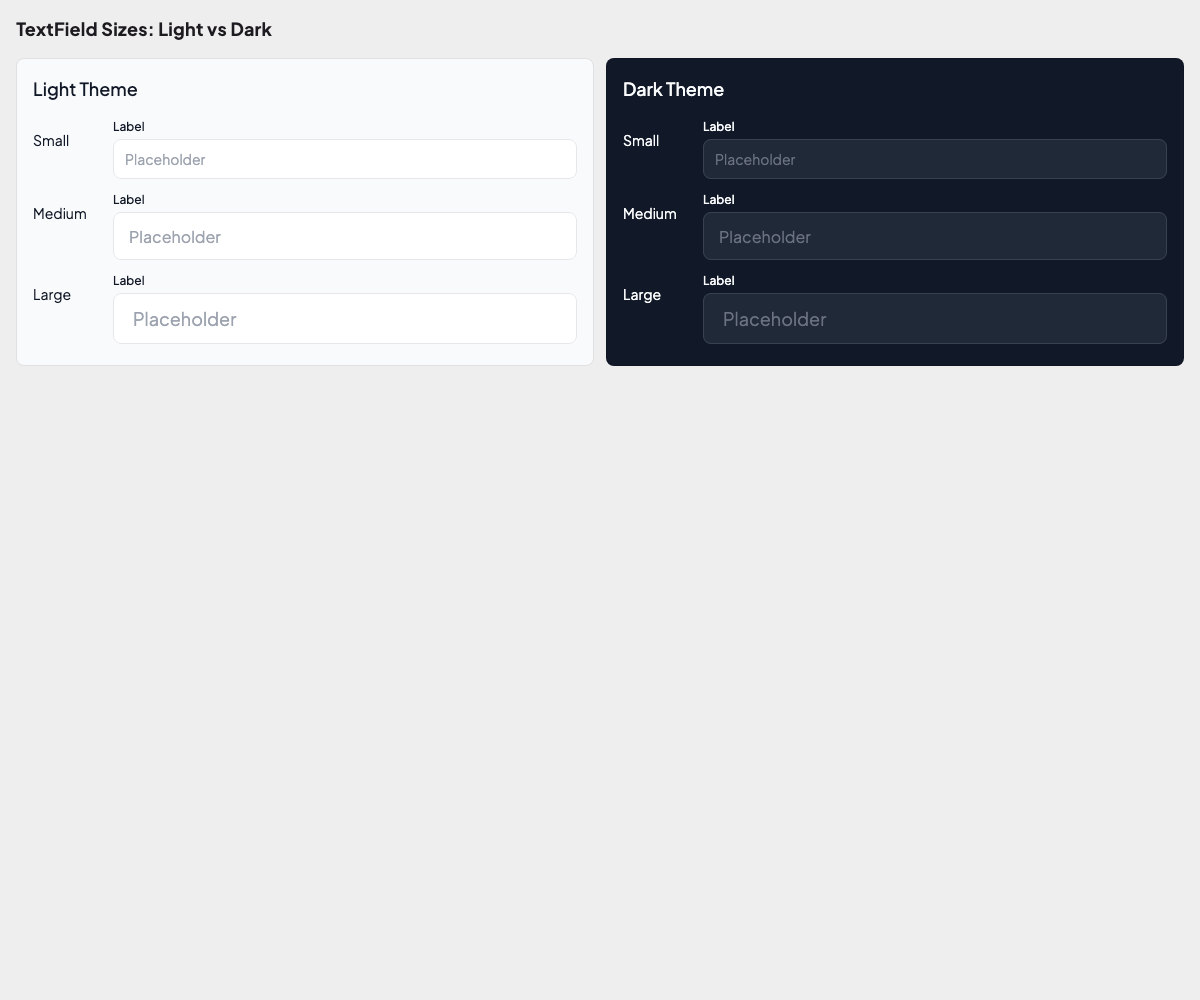
States
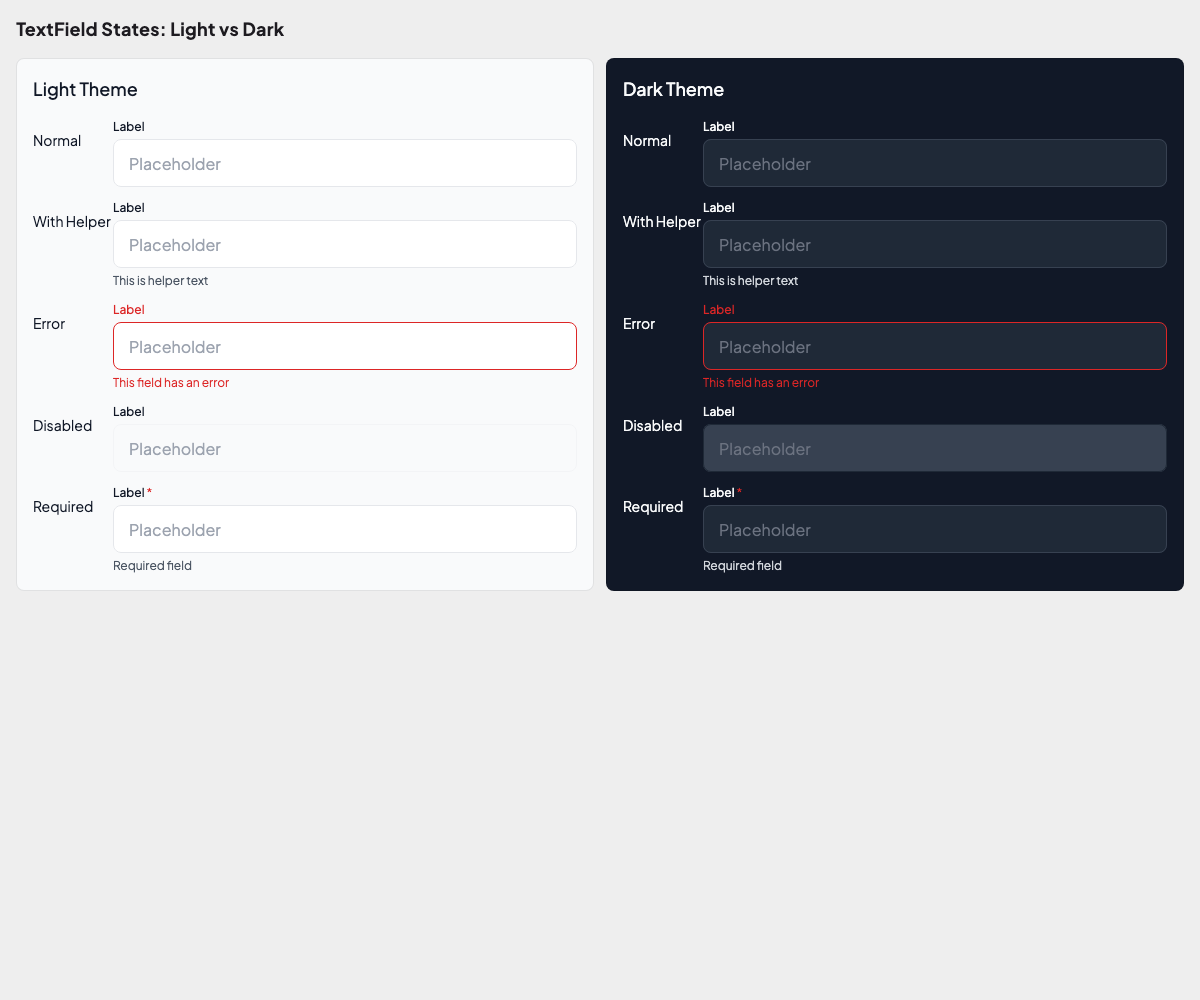
Icons
Password Fields:
More Password Field Goldens
Variants
States
Visibility Toggle
Strength Indicator
Running Golden Tests
Generate baseline images (first time or after intentional changes):
melos run golden:updateVerify against baselines (CI or after code changes):
melos run golden:checkWriting a Golden Test
import 'package:alchemist/alchemist.dart';
import 'package:flutter/material.dart';

import '../../util/app_test_wrapper.dart';

void main() {
  goldenTest(
    'button renders correctly',
    fileName: 'components/button_variants',
    builder: () => GoldenTestGroup(
      scenarioConstraints: BoxConstraints(maxWidth: 300),
      children: [
        GoldenTestScenario(
          name: 'primary filled',
          child: buildTestWrapper(
            child: AppButton(
              label: 'Submit',
              variant: ButtonVariant.primary,
            ),
          ),
        ),
        GoldenTestScenario(
          name: 'primary outlined',
          child: buildTestWrapper(
            child: AppButton(
              label: 'Cancel',
              variant: ButtonVariant.primary,
              type: ButtonType.outlined,
            ),
          ),
        ),
      ],
    ),
    tags: ['golden'],
  );
}
Test Wrapper
Use buildTestWrapper() to wrap widgets with the correct theme:
Widget buildTestWrapper({
  required Widget child,
  bool isDark = false,
}) {
  return MaterialApp(
    theme: isDark ? AppTheme.dark() : AppTheme.light(),
    home: Scaffold(body: child),
  );
}
CI Considerations
Alchemist renders text as colored blocks in CI mode to avoid cross-platform font differences. This means golden files generated on macOS will also pass on Linux CI runners.
Golden File Structure
packages/app_ui_kit/test/
  foundations/
    colors/
      color_golden_test.dart
      goldens/                    # Generated golden images
    typography/
      typography_golden_test.dart
      goldens/
    spacing/
      spacing_golden_test.dart
      goldens/
    radius/
      radius_golden_test.dart
      goldens/
  util/
    app_test_wrapper.dart
Coverage
Run tests with coverage and check thresholds:
melos run coverage:fullThis runs the full pipeline: collect → combine → check thresholds.
See Test Coverage for detailed configuration.
Main App vs Widgetbook
| Main App | Widgetbook | |
|---|---|---|
| Purpose | Production application | UI component catalog & preview |
| Platforms | Android, iOS | Android, iOS, Linux, Windows |
| Has integration tests | Yes (Patrol) | No |
| Has unit tests | Yes | Minimal (snapshot tests) |
| Has CMake | No (mobile only) | Yes (desktop support for previewing) |
| Entry point | main_<flavor>.dart | main.dart |
| DI | Full GetIt setup | Minimal (just UI components) |
Why Widgetbook Has Desktop Support
The widgetbook app includes CMake configs for Linux and Windows so designers and developers can preview components on desktop without needing a mobile emulator. This is purely for development convenience — the production app remains mobile-only.
CMake Files
Desktop CMake files are located at:
apps/app_widgetbook/
  linux/
    CMakeLists.txt              # Linux build config
    flutter/CMakeLists.txt      # Flutter plugin loader
  windows/
    CMakeLists.txt              # Windows build config
    flutter/CMakeLists.txt      # Flutter plugin loader
These follow the standard Flutter desktop CMake structure and are generated automatically by the flutter_modular_monorepo brick.